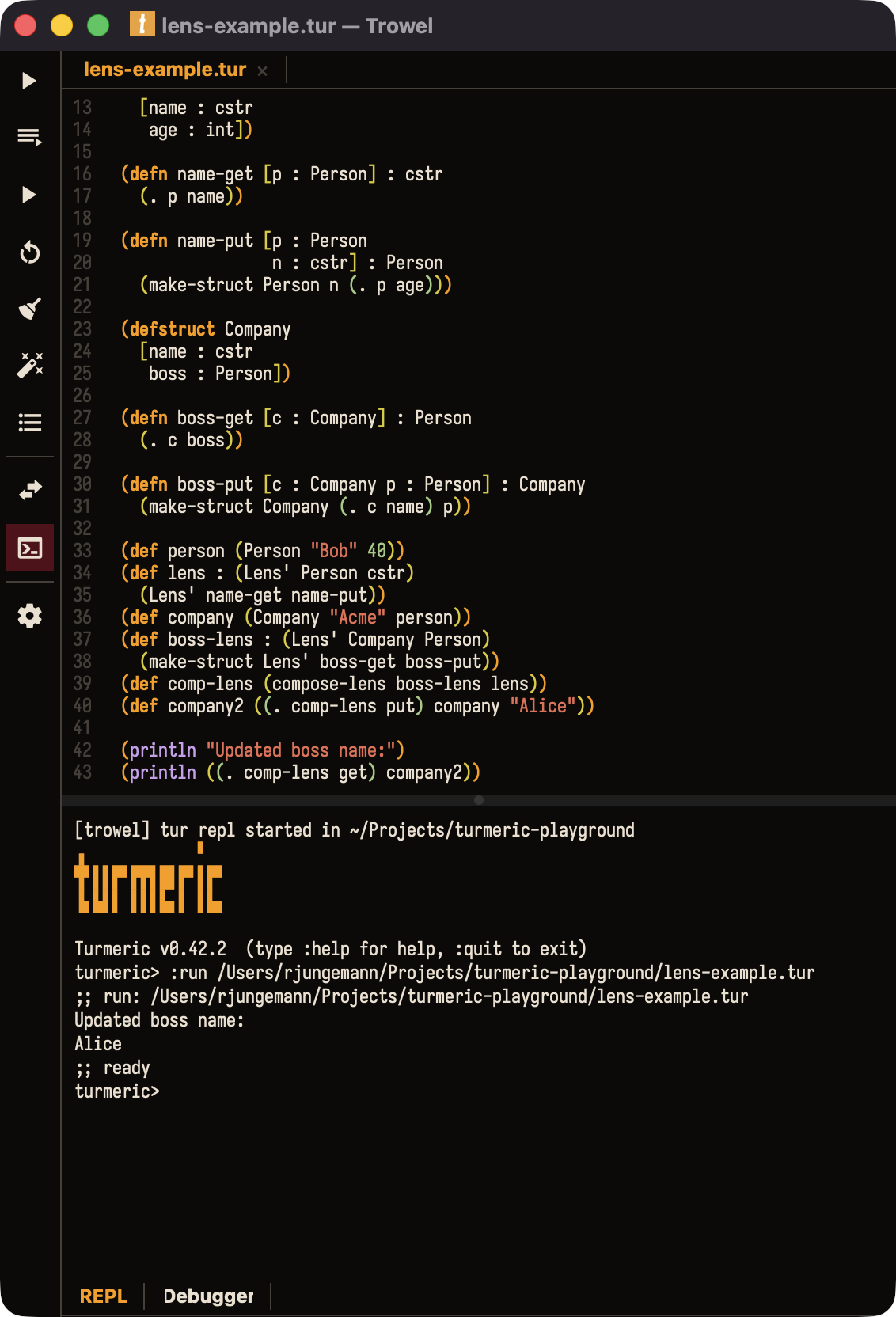
The perfect way to get started with Turmeric.
Open a file and press Run. Trowel is a fast, native desktop app with a live REPL and the Turmeric compiler built right in. There's nothing else to install.
Or install with
brew install --cask turmeric-lang/trowel/trowel
Run instantly
Save and run the current file with a single command. Edit, run, repeat without leaving the editor.
Built-in REPL
A live Turmeric REPL opens in a split below your code. Investigate running code.
Docs & autocomplete
Docstrings and completion for stdlib and buffer-local names surface right at the cursor, drawn from the bundled compiler's docs.
Sweet-exp aware
Full Turmeric syntax highlighting, with a toolbar toggle between classic s-expressions and the indentation-based sweet-exp dialect.
Scaffold projects
Spin up a new binary, sweet-exp, or library project without touching the terminal. Trowel helps you set up your project.
Compiler included
Trowel is real native desktop app, not Electron. It ships the Turmeric compiler inside the bundle. One download, and you are ready to build.
From blank file
to running code.
Trowel is built around the tightest possible loop: open a .tur file, hit Run, and watch it compile and execute in the pane below. Errors come back with clickable locations.
Need to poke at something? Open the REPL pane and evaluate expressions against the same toolchain. The compiler is already there, no setup is required.
Fast & native.
Trowel is a genuine Qt 6 desktop app with a Scintilla editing core -- responsive on large files and light on your machine. No web view, no bundled browser.
Download
Get Trowel
macOS
Available now
Native Mac app, signed and notarized. Grab the .dmg from the latest release, or install with Homebrew.
Download .dmg
Linux
Available now
Portable .AppImage. Download, mark it executable, and run. No install step, and the compiler is bundled in.
Download AppImage
Windows
Coming soon
Windows support is planned. Watch the repository for release announcements.
Coming soon
Homebrew:
brew install --cask turmeric-lang/trowel/trowel
Get Started
Up and running
in minutes.
01 -- Install
Install Trowel
brew tap turmeric-lang/trowel https://github.com/turmeric-lang/trowel
brew install --cask turmeric-lang/trowel/trowel
The tap URL is not optional: the cask lives in the Trowel repo itself, so a bare brew tap turmeric-lang/trowel goes looking for a homebrew-trowel repo that does not exist. Tapped this before the 2026-10-02 move? Run brew untap rjungemann/trowel first — Homebrew keys its tap cache by name and will otherwise keep serving the old one. Or grab the .dmg (macOS) or portable .AppImage (Linux) from the latest release. The Turmeric compiler is bundled. There's nothing else to install.
02 -- Open
Open a file
File > Open...
# any .tur or .tur.sweet file
Open an existing Turmeric file, or scaffold a fresh project from the command palette.
03 -- Run
Run the file
(defn main [] : int
(println "Hello from Trowel!")
0)
Hit Run and Trowel compiles and executes the file, streaming output into the pane below. Errors come back with clickable locations.
04 -- Explore
Open the REPL
turmeric> (+ 1 1)
=> 2
Open the built-in REPL pane and evaluate expressions interactively against the same compiler that builds your project.
Don't forget to bring a Trowel
Download Trowel and go from a blank file to running code in minutes.